
Guide
Find the situation you are in. Each one lists what to tap, in order.
Getting started — signing up
Once, and never again. Quicker if you have a Google account.
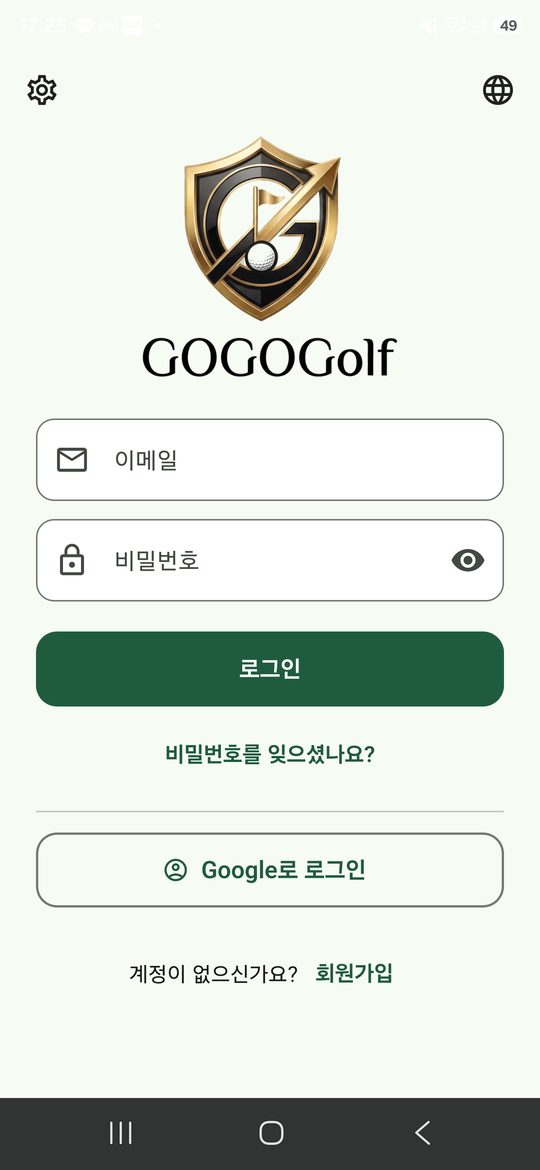
- Opening the app brings up the sign-in screen.
- Use "Continue with Google" if you have an account. Otherwise sign up with an email address below.
- Enter a nickname, country, age range and sex. The nickname is what other players see.
- Press "Start" and you are on the home screen.
Sex is only there for prizes that are given separately, and the organiser judges those. It changes no standing.
On your own, or with partners — a solo round
Up to four players on one phone. Your partners need nothing.
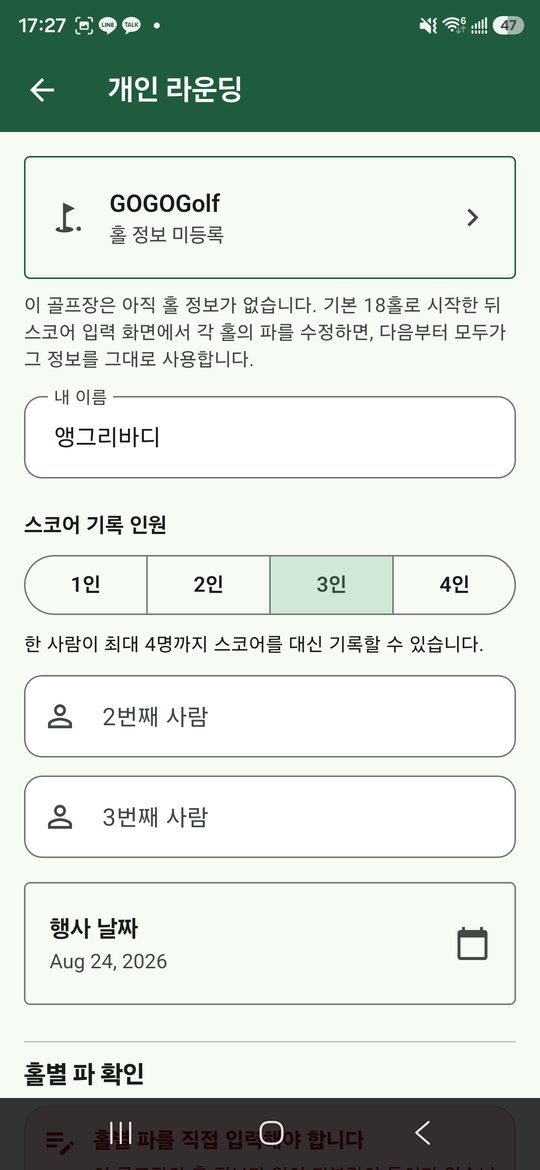
- Press "Personal" on the home screen.
- Search for the course. If it is not listed, add it and enter the pars — once, and it is there for good.
- Choose how many are playing and type their names. Playing alone, leave it at one.
- Check the date and press "Create".
- You land straight on the scorecard.
If all four want to enter their own scores from their own phones, use a group event instead.
Setting up a day — organisers
Several flights, and the prizes work themselves out.
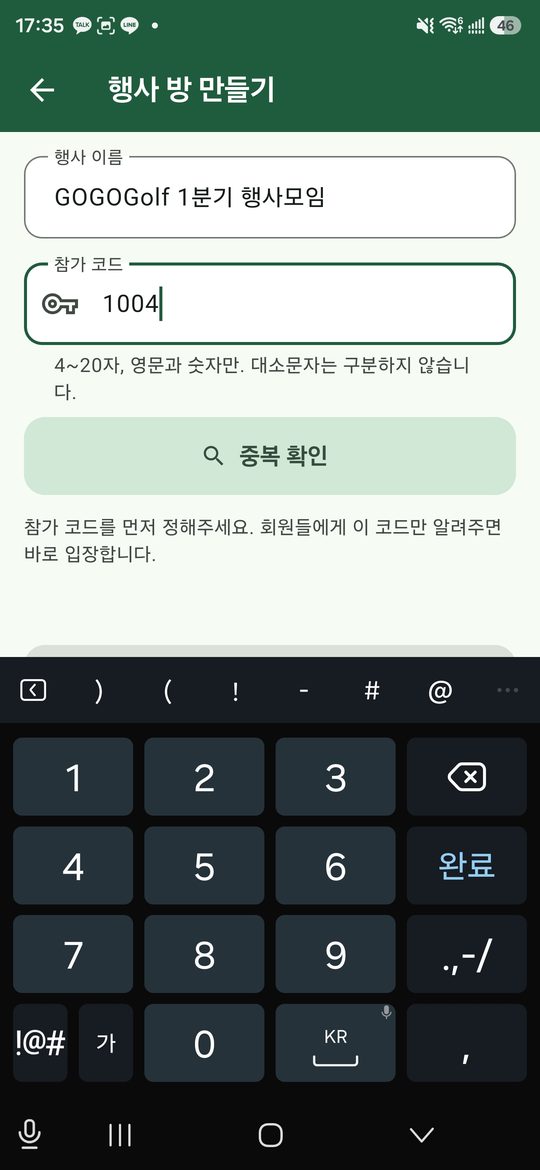
- Home screen, "Group event", then "Create".
- Name the day, set the date, choose the course.
- Choose the join code yourself. Four to twenty letters and numbers — something you can say down a phone.
- Switch on the prizes. New Peoria wants twelve hidden holes; longest drive and nearest the pin want holes and whether they run for each sex.
- Press "Create" and the event opens on the scorecard.
Prizes can be changed later — the ⋮ menu on the scorecard, then "Prizes".
Joining a day — players
All you need is the code.
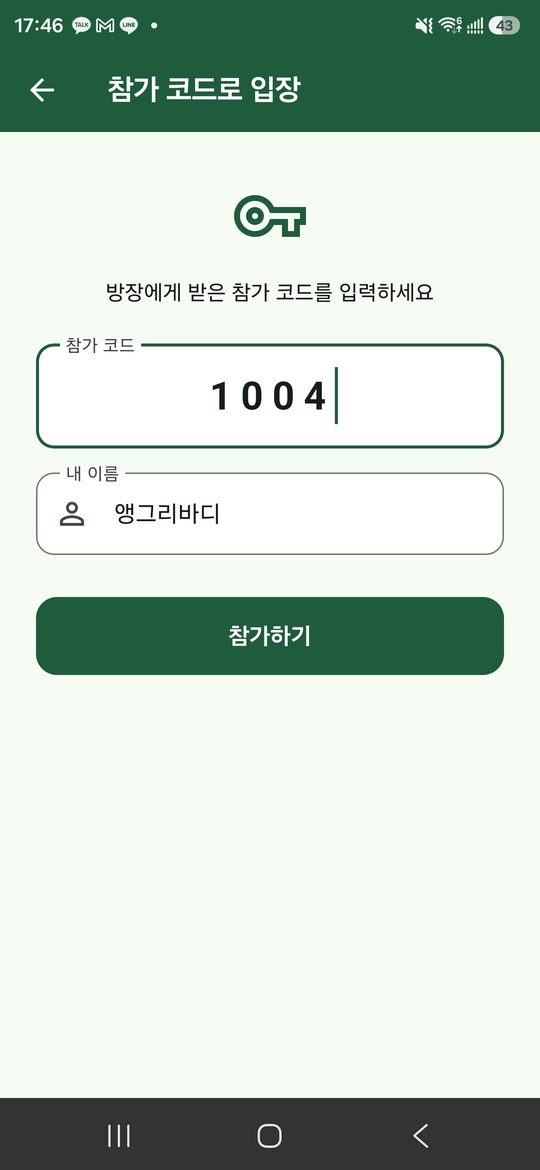
- Home screen, "Group event", then "Join with a code".
- Type the code. Upper and lower case do not matter.
- Press "Join".
- With no flight yet, "Ask for a team" tells the organiser you are here.
Scoring opens once you are in a flight. The organiser puts you in one and the keypad appears.
Making up the flights — organisers
All at once, or as people arrive.
- The ⋮ menu on the scorecard, then "Teams".
- "Add team" makes a flight. Tap its name to rename it.
- Tap a player in the unassigned list to move them into it.
- Walk back when you are done. There is no save button — each tap is already saved.
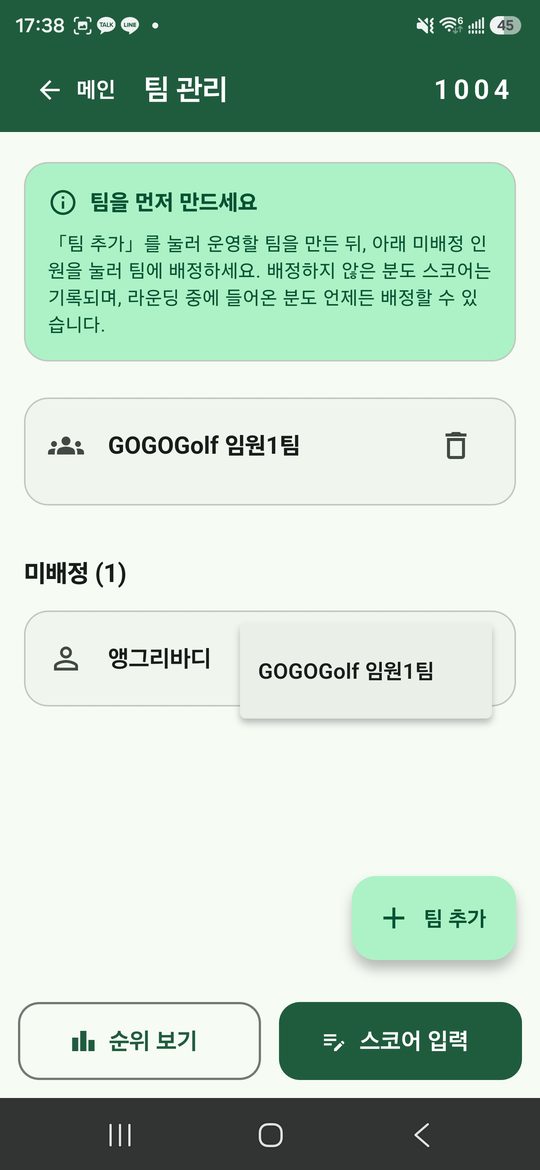
A badge on the ⋮ icon counts anyone still waiting to be put in a flight.
Entering scores
In a group event you enter your own, and only your own.
- The top of the screen names the player and the hole.
- Three ways to enter: against par (birdie, par, bogey), the stroke count itself, or plus and minus from par.
- One tap saves it and moves to the next player, then to the next hole.
- To fix a mistake, tap that box on the card below. It takes you there, and back again once corrected.
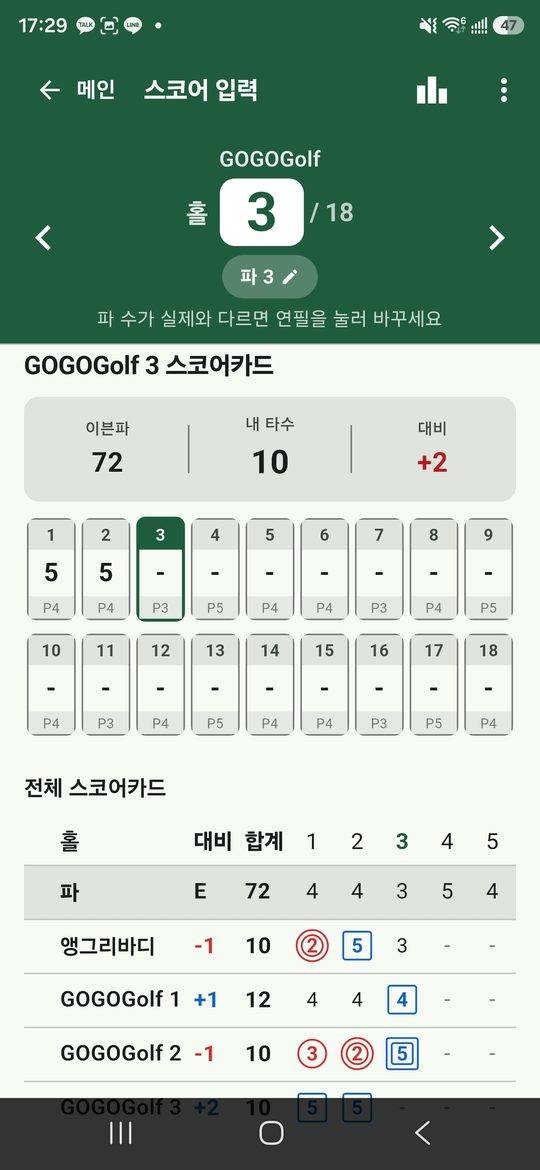
A weak signal does not stop entry. It appears on your screen at once and catches up when there is a connection.
One person keeping the flight — delegating
For when somebody in the buggy is writing all four down.
- Everyone except that person does this, on their own phone.
- The ⋮ menu on the scorecard, then "Hand my card over".
- Choose the team-mate who is keeping score.
- Your keypad locks and your card opens on theirs.
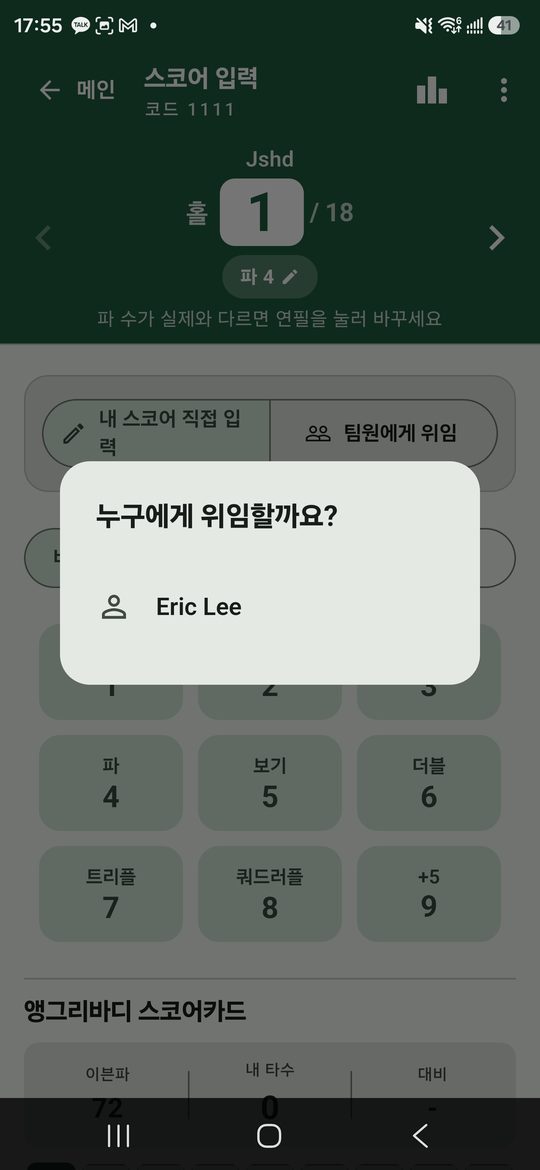
Take it back the same way, with "Enter my own". You can still read the whole card meanwhile.
The standings
Available at any point in the round.
- The standings icon at the top of the scorecard.
- Switch between "By team" and "By player".
- By team shows one line each. Tap a team to open its players.
- Below that is everyone's full card.
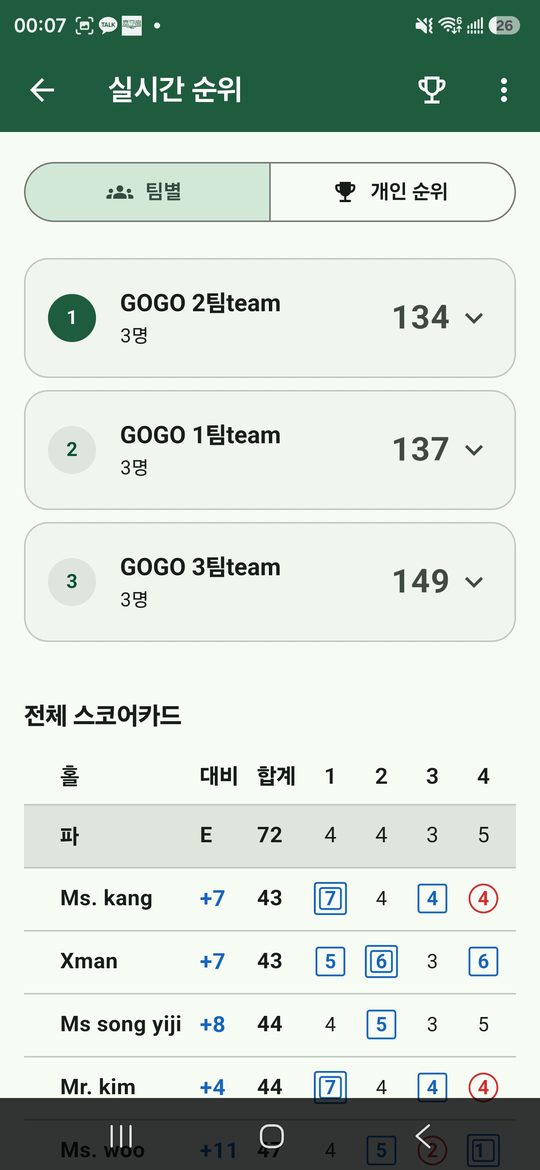
Birdies are circled in red and eagles doubly so; bogeys are boxed in blue, doubles doubly.
Checking and announcing the prizes — organisers
The winners are worked out before you ask.
- The ⋮ menu, then "End the round". Scores lock at this point.
- Open the prizes screen for the winner of each.
- The chart icon beside a prize opens the whole field and the arithmetic. Organisers only.
- Prizes judged on the course — longest drive, nearest the pin — take a name you type in.
- "Publish" when you are satisfied. Players see the results from then on.
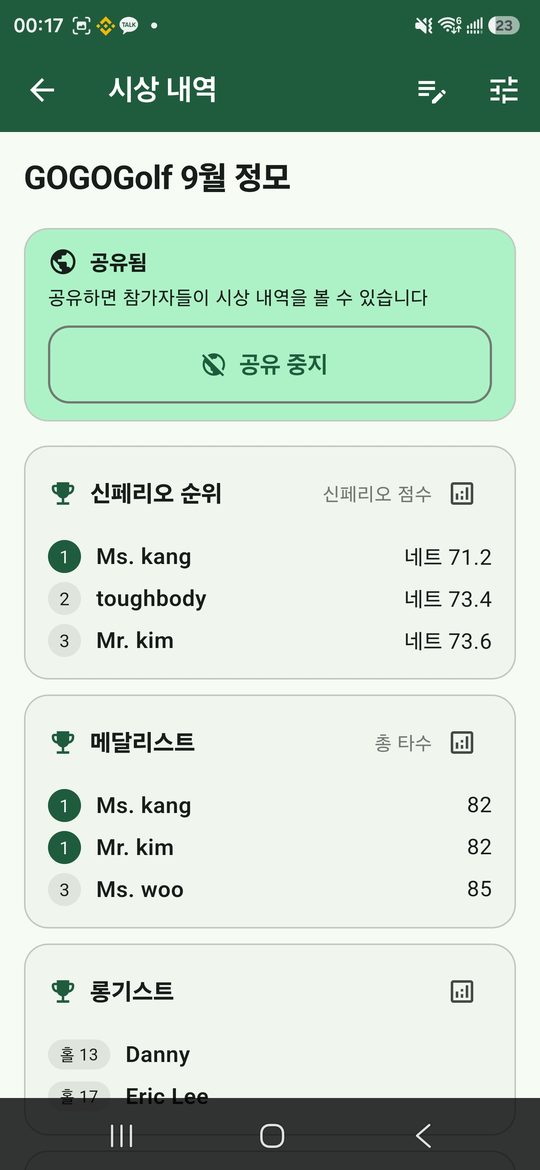
"Reopen" undoes it if something needs correcting. Ending it again recalculates everything.
Sharing the card
One image for the group chat.
- The ⋮ menu on the standings screen, then "Share the card".
- Everyone's card is drawn onto one image.
- Press "Share" and pick where it goes.
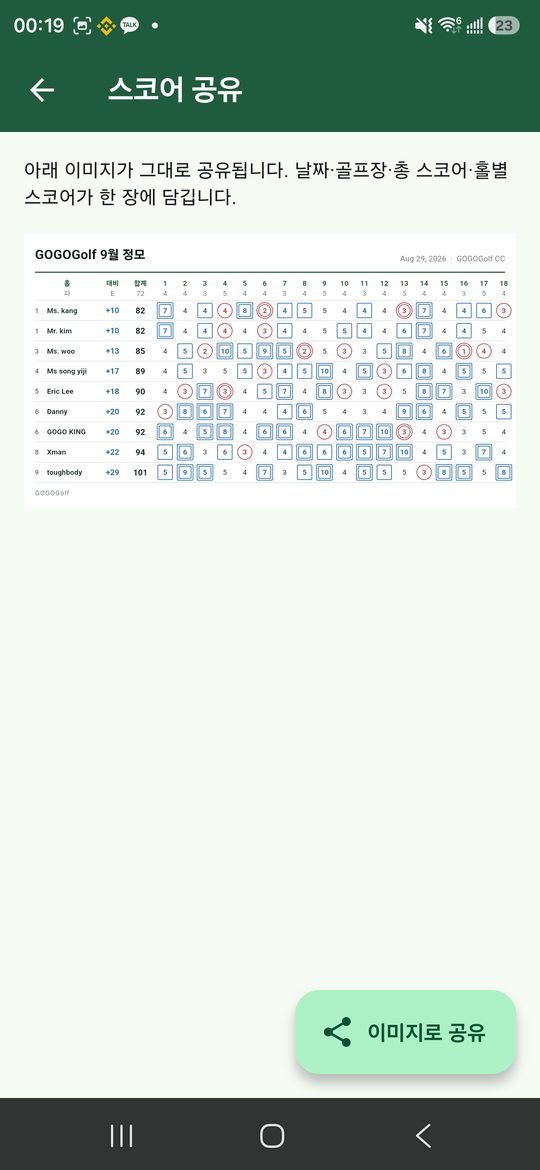
The website address goes with it, so whoever receives it can find the app.
Your record
Finished rounds collect here.
- The person icon, top right of the home screen.
- Rounds played, best score and average are at the top.
- Switch between all time, a year, a month, or dates you choose.
- Your rounds are listed below.
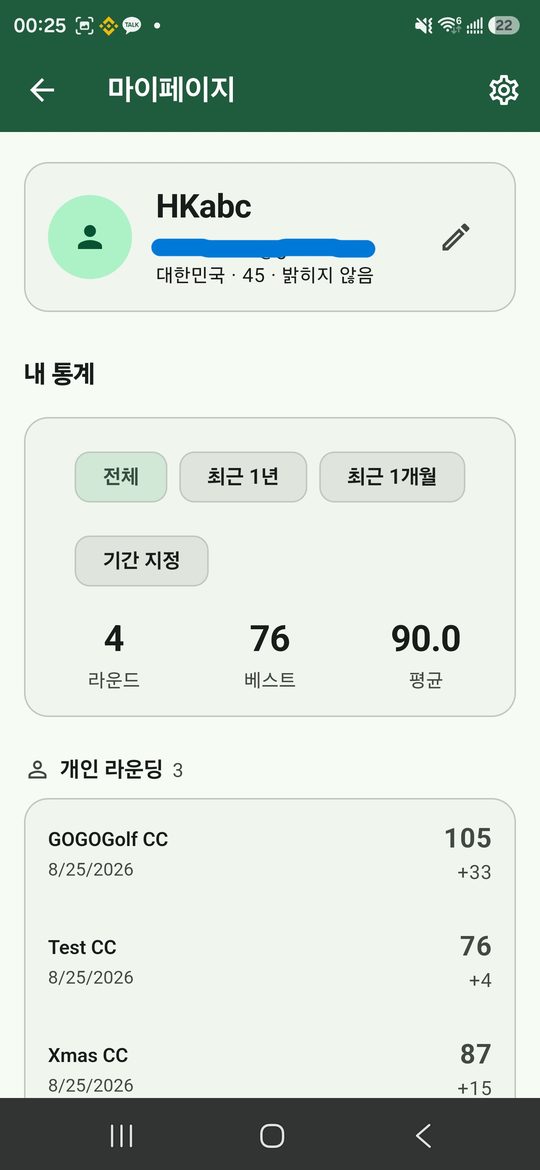
Only rounds where all eighteen holes were entered and the round was ended. One still in progress does not move your average.
Settings
Language, appearance, vibration.
- The gear icon, top right of the home screen.
- Six languages: Korean, English, Japanese, Chinese in both scripts, Thai.
- Light, dark, or whatever the phone is set to.
- Vibration is the feel of entering a score. It can be turned off.
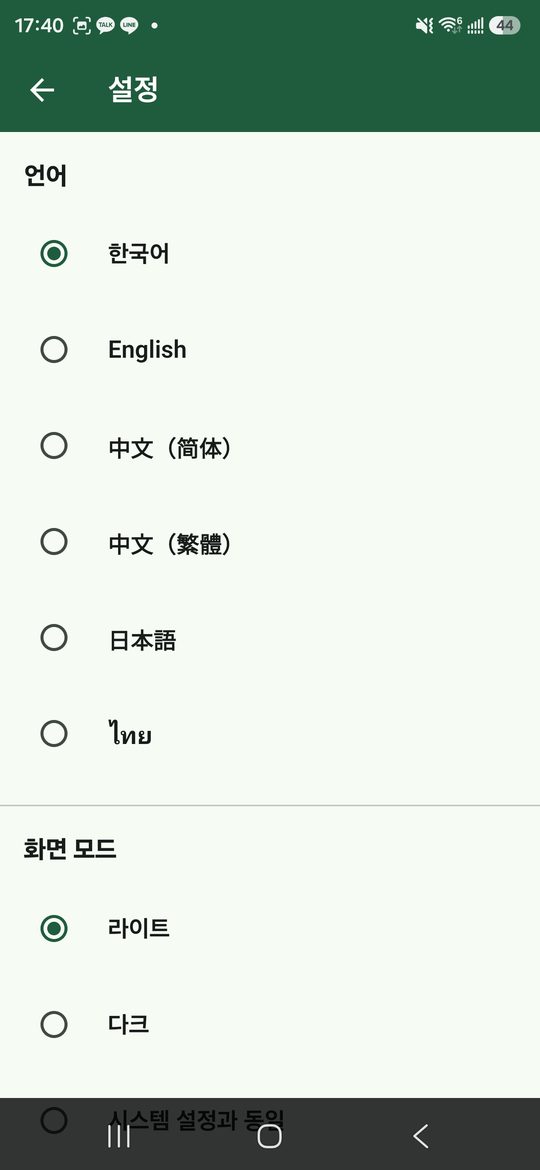
Closing your account is at the bottom of this screen. It takes your record with it and cannot be undone.